
Children’s photos are an important part of early childhood education. They help make learning visible, give families meaningful insight into their child’s day and capture moments that words alone cannot.
But the way we think about children’s images is changing.
Australia introduced stronger rules in February 2026 around the devices used to capture, store and transmit images of children in early childhood education and care (ECEC). New Zealand’s Privacy Commissioner has published new guidance for the education sector on taking, storing and sharing children’s images. And generative AI has added another reason to think carefully about images that are published openly online.
The question is no longer simply:
Do we have permission to take this photo?
It is also:
Does this image need to exist? Who needs to see it? Where will it be stored? And how much exposure is appropriate for its purpose?
Good digital practice does not mean stopping photography. It means being more purposeful about the images we create, more deliberate about where they are shared and clearer about who should have access.
Children’s photos in early childhood education: private documentation vs public sharing
One of the most important distinctions for early childhood services is between documenting a child’s learning and publishing a child’s image publicly.
A photo added to a private learning portfolio has a defined educational purpose and a limited audience.
A photo posted on an open Facebook or Instagram page, or a publicly accessible website, has a very different audience, reach and risk profile. Once it is public, it may be copied, downloaded or reused outside its original context.
New Zealand Privacy Commissioner guidance illustrates this distinction clearly. In an ECE learning-portfolio example, it recommends using service-approved devices, uploading images directly to a secure learning management system — naming Storypark and Educa as examples — and securely deleting them from the device afterwards. It separately advises against posting those images publicly or sharing them with third parties unless specific permission has been obtained for that purpose.
Read the Privacy Commissioner guidance
The underlying principle is useful regardless of country:
Permission to use an image for a child’s learning portfolio should not automatically be treated as permission to use the same image for public promotion.
The purpose is different. So is the exposure.
Start with purpose: does this photo add something?
Digital photography makes it easy to create large numbers of images. That does not necessarily lead to better learning documentation.
Before taking a photo, ask:
What will this image contribute?
A photo may be valuable because it:
- captures an important learning process
- shows something difficult to communicate through words alone
- preserves something the child created
- supports reflection between the child, teacher and family
- gives families meaningful insight into an experience.
But the child’s face does not need to be the focus of every image.
Sometimes the learning can be shown more effectively through what the child is doing: hands building or drawing, materials being explored, a structure taking shape or the progression of an activity.
This is not about removing children from their own learning stories.
It is about moving from photographing by default to photographing with purpose.
Make consent specific — and keep it current
Consent is most useful when families understand exactly what they are agreeing to.
Rather than treating one permission as covering every possible use, services should distinguish between different purposes. These might include:
- individual learning documentation
- group learning stories where other families may see the image
- displays within the service
- newsletters
- the service website
- public social media
- marketing or promotional material.
New Zealand Privacy Commissioner guidance recommends obtaining consent for parent communication platforms, reviewing and updating that consent regularly, and reflecting changes in the systems being used. It also confirms that families can withdraw permission to share information.
Australian ACECQA guidance similarly recommends explaining how children’s images will be used, accessed, stored and destroyed, as well as how families can change or withdraw consent.
A simple test is:
Would the family reasonably expect this image to be used in this way?
If the answer is uncertain, check.
Children should have a voice too
Parent or guardian consent is important, but respectful practice goes further.
Young children can begin to understand that they have a say in whether a photo is taken.
ACECQA’s online safety guidance encourages early childhood teachers to involve children in decisions about their images: explain why an image is being taken, tell children who may see it, ask whether they are comfortable being photographed and respect their decision if they do not want to participate.
In practice, that can be very simple:
“Can I take a photo of what you’ve made?”
“Would you like to be in the picture, or shall I photograph your painting?”
“Is it okay if I share this with your family?”
This is not about asking a young child to make a legal privacy decision.
It is about modelling consent, respect and agency from an early age.
Public images carry a different risk in the age of AI
Generative AI has changed what can happen to an image once it becomes publicly available.
Australia’s eSafety Commissioner warned in July 2026 that increasingly accessible AI tools are making it easier to repurpose images taken from education websites and social media accounts. Between January and March 2026, eSafety received more than 100 reports involving anonymous accounts targeting schools and school staff. Almost all involved imagery taken from school websites or social media. Reported misuse included face swaps, fabricated content and AI-generated videos.
Read the eSafety Commissioner guidance
Those reports relate primarily to schools, rather than demonstrating the same pattern specifically within ECEC.
But the lesson is relevant to early childhood services:
Once an image is openly published, control over its future use becomes much harder.
That does not mean services should never share photos publicly.
It does mean public sharing deserves a higher threshold than private learning documentation.
Before posting a child’s image publicly, ask whether the benefit justifies the additional exposure — and whether a less identifiable image could achieve the same purpose.
Australia: stronger ECEC device rules from February 2026
Australia has gone further than general good-practice guidance.
From 27 February 2026, changes to the Education and Care Services National Law and National Regulations introduced stronger restrictions on personal digital devices and on how children’s images are captured, stored and transmitted in services covered by the National Quality Framework.
See ACECQA’s current guidance on safe use of devices
Centre-based services
Staff generally cannot use or carry personal devices while working directly with children, although limited exceptions and written authorisations can apply.
Service-supplied devices can continue to be used appropriately for education and care purposes, including taking and sharing photos and videos.
Family day care
Personal devices cannot be used to take, store or share images or videos of children.
A provider can instead supply or authorise a device that is used exclusively for education and care purposes.
Policies matter too
Approved providers must also have policies and procedures covering the safe use of digital technologies and online environments.
For Australian services, there is an important distinction:
Using a secure learning platform does not make the use of an otherwise prohibited personal device acceptable.
Safe practice includes the device being used, the service’s policies and the system used to store and share the image.
Services should refer to ACECQA and their relevant regulatory authority when reviewing their own obligations.
New Zealand: the direction is similar, but the rules are different
New Zealand does not have the same 2026 device rules as Australia, so the two countries should not be treated as having identical requirements.
However, the Privacy Commissioner’s new Education Sector Privacy Guidance, published in March 2026, points towards many of the same privacy-protective practices.
The guidance recommends that education providers:
- use approved devices rather than personal devices for learner information
- upload photos and videos to secure learning platforms as soon as possible
- remove unnecessary copies from devices
- limit access so people only see the information they need
- regularly review consent
- avoid unnecessary or sensitive information
- ensure the relevant parents have consented before group images are shared through parent communication platforms.
Read the Privacy Commissioner’s Education Sector Privacy Guidance
The Ministry of Education also advises early learning services to get clear permission, use approved platforms, avoid unnecessary or potentially embarrassing imagery and remove photos once they are no longer required. Its practical test is whether an image is necessary, respectful and safe to share.
Public concern is also high. In the Privacy Commissioner’s 2026 national survey, 71% of New Zealand respondents said they were concerned about children’s privacy, including social media use — the highest-ranked privacy concern measured.
Think about the whole lifecycle of an image
It is easy to focus on the moment a photo is taken.
But privacy and child safety extend across the whole life of that image.
A useful way to review your service’s practice is to follow an image from beginning to end:
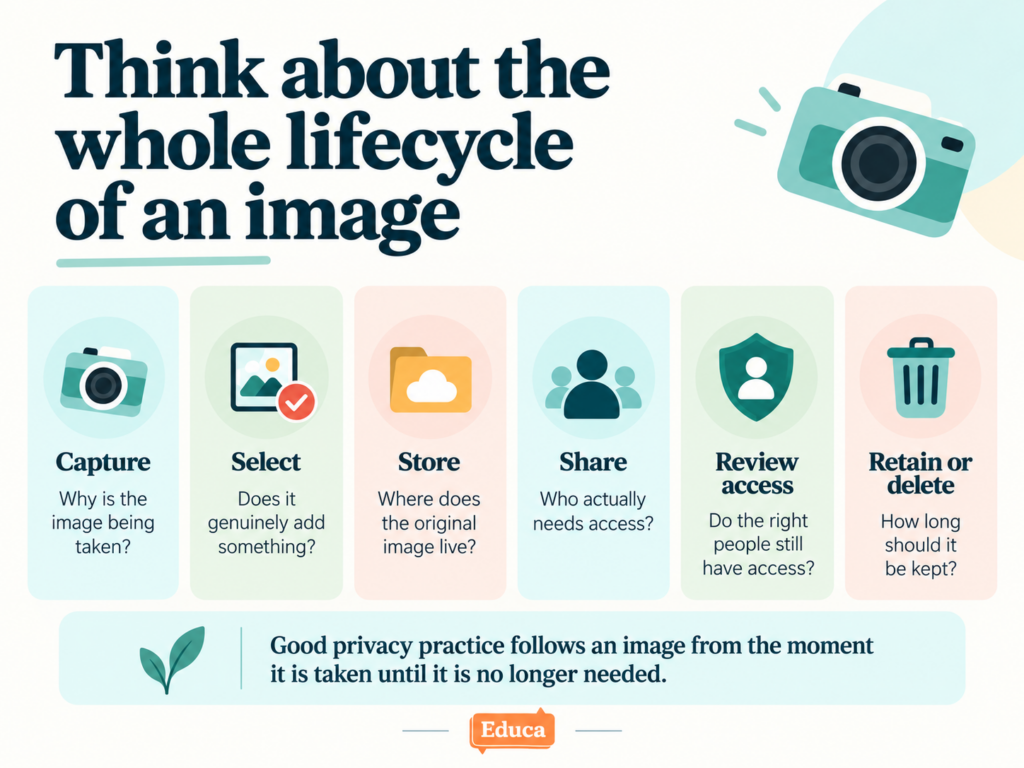
Capture
Why is the image being taken? Is the device appropriate? Are the necessary permissions in place?
Select
Does the image genuinely contribute to the learning or communication purpose? Does it include other children or information that should not be shared?
Store
Where does the original image live? Are unnecessary copies being created or retained?
Share
Who actually needs access? Is a private learning platform more appropriate than an open social media channel?
Review access
Do staff and family accounts still belong to people who should have access? Have family permissions changed?
Retain or delete
Is there still a reason to keep the image? What does the service’s retention policy require?
Technology can support every stage, but clear policies and consistent teacher practice remain essential.
What should a learning documentation platform support?
No digital platform can guarantee that information will never be copied by someone who is legitimately authorised to view it.
A more useful question is whether the system helps a service reduce unnecessary exposure and control appropriate access.
When reviewing a learning documentation platform, consider:
- Is content private by default?
- Can staff access be limited to the children they work with?
- Can families only access information they are authorised to see?
- Can image restrictions or permissions be made visible to teachers while they are documenting?
- Can stories be reviewed before reaching families?
- Are families directed back into a secure platform rather than having children’s photographs distributed through email notifications?
- Can access be removed promptly when staff or families leave?
- Does the provider clearly explain how data is protected and used?
- Is customer data sold or used for advertising?
- If AI features are available, what information is actually sent to the AI provider?
Technology cannot replace good judgement.
But it can make good practice easier to follow consistently.
How Educa supports purposeful, private learning documentation
Educa was designed to create a private online community around each child rather than a public social feed.
Several controls help services put the principles above into practice.
Image Restrictions
Services can record an Image Restriction against a child when permission has not been given for their image to appear in Group Stories.
When a teacher selects children for a Group Story, Educa displays the restriction so they can check the images before publishing.
Learn about Image Restrictions in Educa
Controlled teacher access
Educa’s privacy settings can restrict teachers so they only have access to the children relevant to their role, rather than automatically giving every staff member access to every child.
Review Educa’s privacy settings
Story Approval
Services can require learning stories to be reviewed before families see them.
Reviewers can approve a story, edit it or return it to the teacher for changes.
Images stay out of notification emails
Educa’s story notification emails do not distribute the child’s story photographs by email.
Instead, families follow the notification back to the story within Educa.
A deliberately limited approach to AI data
When a service chooses to use Educa Assist for writing support, images, videos and child identifiers are not transmitted to the AI service provider.
Only the text the teacher is actively working with is processed, and Educa’s AI providers do not use that content to train their public models.
More broadly, Educa states that customer content is private by default and that user data is not sold or used for advertising within the platform.
Technology is only one part of keeping children’s information safe.
But the technology a service chooses should support — rather than work against — the privacy practices it expects its team to follow.
Five questions to ask before taking or sharing a child’s photo
A simple check for teams is to ask:
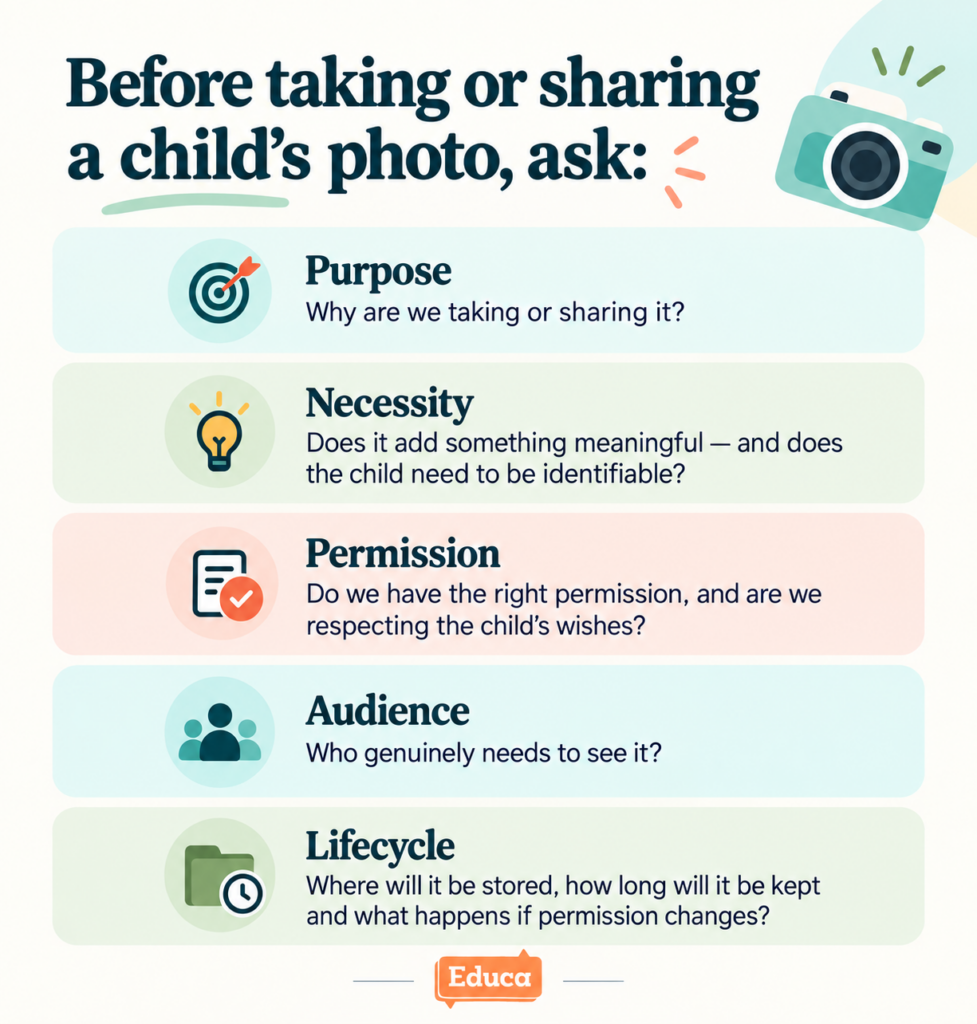
Purpose
Why are we taking or sharing this image?
Necessity
Does it add something meaningful, and does the child need to be identifiable?
Permission
Do we have the appropriate family permission, and are we respecting the child’s wishes?
Audience
Who genuinely needs to see it — the child’s family, the wider service community or the public?
Lifecycle
Where will it be stored, how long will it be kept and what happens if permission changes?
These questions do not make photography harder.
They make it more intentional.
Frequently asked questions
Can childcare and early childhood services take photos of children in Australia?
Yes. Photos and videos continue to have legitimate educational and communication purposes.
However, services covered by the National Quality Framework must comply with the strengthened digital-device requirements introduced from 27 February 2026, alongside applicable consent, policy and child-safety requirements.
Centre-based and family day care requirements differ, so services should check current ACECQA guidance and any requirements applying in their state or territory.
Can an early childhood service post children’s photos on social media?
Potentially, but public sharing should be treated differently from private learning documentation.
Specific permission, privacy obligations and the service’s own policies all matter. In New Zealand, Privacy Commissioner guidance explicitly distinguishes secure parent communication platforms from public social media use.
Is a private learning portfolio safer than Facebook or Instagram?
A secure learning platform reduces exposure by limiting access to authorised users.
It cannot guarantee that an authorised person will never copy or further share something they can see.
The goal is therefore not absolute technical control. It is to avoid unnecessary distribution, limit access and create clear expectations about appropriate use.
Should teachers ask a young child before taking their photo?
Where appropriate, yes.
ACECQA guidance encourages teachers to involve children in decisions about their images, explain why photos are being taken and respect children who do not want to participate. This supports agency and introduces consent in an age-appropriate way.
Does parental consent mean a photo can be used for any purpose?
Not necessarily.
Good privacy practice distinguishes between purposes such as private learning documentation and public marketing. Permissions should make those purposes clear and should be reviewed when circumstances or family preferences change.
Further guidance and resources
This article is intended as practical guidance rather than legal advice. Requirements vary by jurisdiction and service type. Services should check the current requirements that apply to them.
Australia
ACECQA — Safe use of devices in education and care services
ACECQA — NQF Child Safety Guides
New Zealand
Office of the Privacy Commissioner — Education Sector Privacy Guidance
Ministry of Education — Early learning guidance
Online safety
Australian eSafety Commissioner — Sharing education imagery in the age of AI
A worthwhile question for every early childhood service
Children’s photographs can strengthen learning documentation and deepen the connection between home and the service.
The aim is not to lose that value.
But changes in technology, regulation and public expectations make this a good time to look at how children’s images move through your service.
Follow one image from beginning to end:
Why was it taken? What device captured it? Where is it stored? Who can see it? Where else might it be shared? When will it be deleted?
If those answers are clear, deliberate and understood by your team and families, your service is already a long way towards safer digital documentation.
If they are not, now is a useful time to review them.
Using Educa?
Review your privacy settings, Image Restrictions and Story Approval settings to make sure they still reflect your service’s current policies.
Review your Educa privacy settings →
Considering Educa?
Educa helps early childhood services document learning within a private, family-focused environment, with controls for staff access, image restrictions and story review.